
What is a Raise Listing?
A Raise Listing is your funding round on TheAngel. See what it contains, how it works, how to use it and what makes a good one.

In short
- A Raise Listing is one page that shows your round to angel investors.
- It has a card, a deal summary and seven tabs, plus four items that TheAngel adds.
- Exact terms, dated numbers, a clear deck and a visible team make a good listing.
A Raise Listing is a page on TheAngel that shows your funding round to angel investors. It holds your raise terms, pitch deck, traction, team and documents in one place. Investors use it to decide if they want to talk to you.
Why a Raise Listing exists
Most early-stage raises start with a cold email and a PDF. The investor has little context. You send the same files again and again.
A Raise Listing gives you one page that holds everything. Every listing has the same structure. Investors can read and compare deals quickly.
What is on a Raise Listing
A listing has two parts.
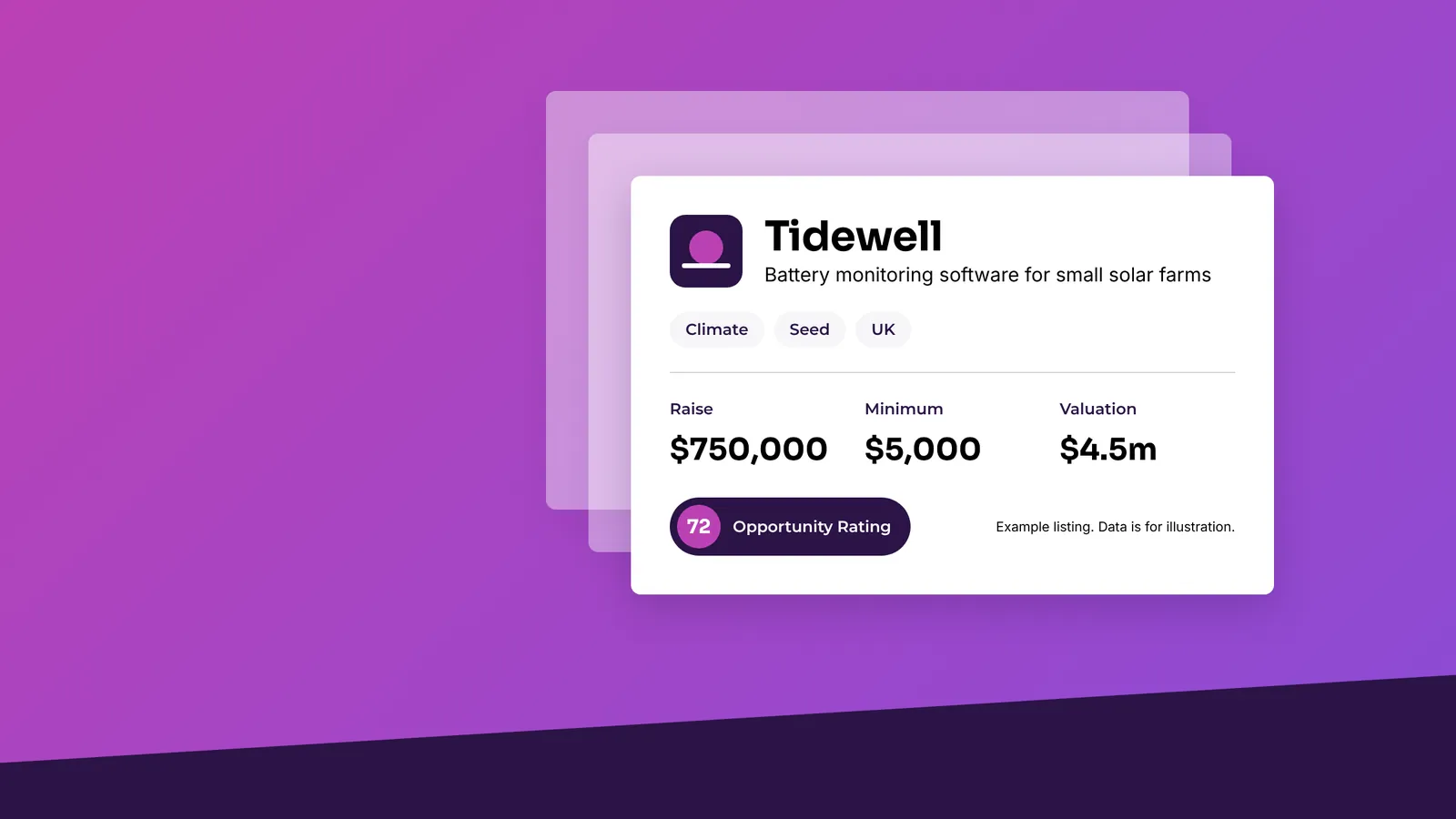
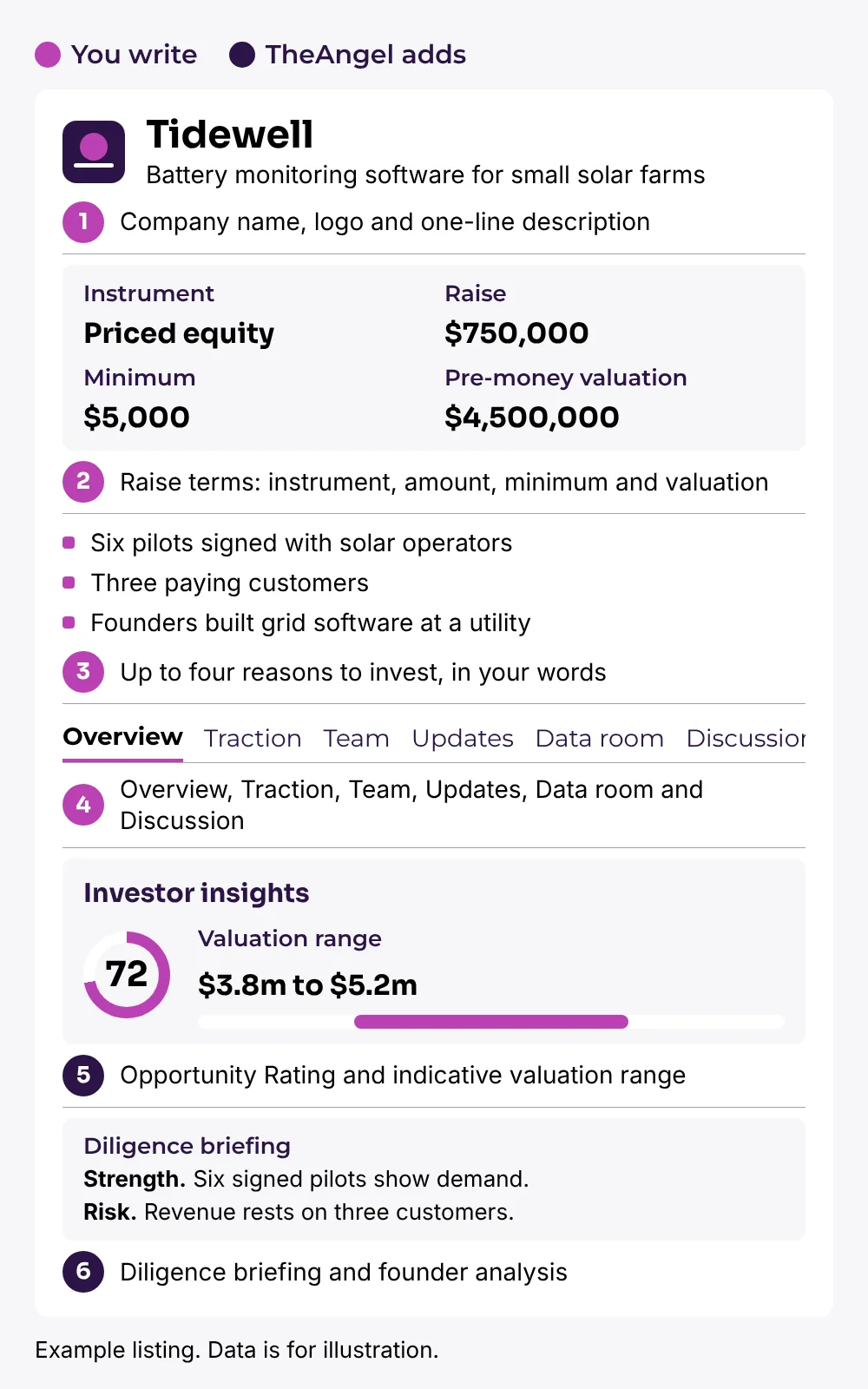
The first part is the card. The card appears in the investor's list of deals. It shows your company name, logo, one-line description, sector, stage, instrument and region.
The second part is the deal page. The deal page starts with a deal summary: instrument, amount you raise, minimum investment and valuation. Then it has these tabs:
- Overview: your pitch video, the reason for the raise, the problem and how your product works.
- Traction: up to four metrics. Each has a value, a date and a short note.
- Team: your founders and key people, each with a short biography.
- Updates: dated posts that you write after the listing goes live.
- Data room: your pitch deck, financial model, cap table and other files.
- Discussion: questions from investors and your replies.
- Investor insights: information that TheAngel adds from your deck and data.
What TheAngel adds
You write the listing. TheAngel adds four items to help investors read it:
- an Opportunity Rating, based on your pitch deck
- an indicative valuation range for your sector, stage and region
- a diligence briefing with strengths, risks and questions an investor may ask
- a founder analysis that looks at founder-market fit, track record and team gaps
TheAngel does not change the valuation that you set. The range is a reference point for investors. You see these items when your listing is approved. Investors see the same items.
How it works in short
- Create an account and choose a plan.
- Build your listing in nine steps. The system saves your work as you go.
- Check the preview and submit.
- TheAngel reviews your listing.
- After approval, your listing goes live and investors can view it.
The post How a Raise Listing works explains each stage in detail.
How you can use your listing
Share one link. Send the link to investors you already know. They see the card and the deal summary. They sign in to read the rest.
Keep your files in one place. Put your deck, model and cap table in the data room. Do not attach them to every email. An investor who registers interest on your listing gets access to the files.
Show progress. Post an update when you win a customer, launch a feature or reach a milestone. Updates show investors that the company moves.
Answer questions in public. Investors ask questions in the Discussion tab. Your replies help the next investor who has the same question.
Change it when things change. Most edits go live at once. Changes to your raise terms or traction go back to review. The old version stays live until the review is complete.
Follow the interest. On higher plans, you see which investors registered interest and how to contact them.
What makes a good Raise Listing
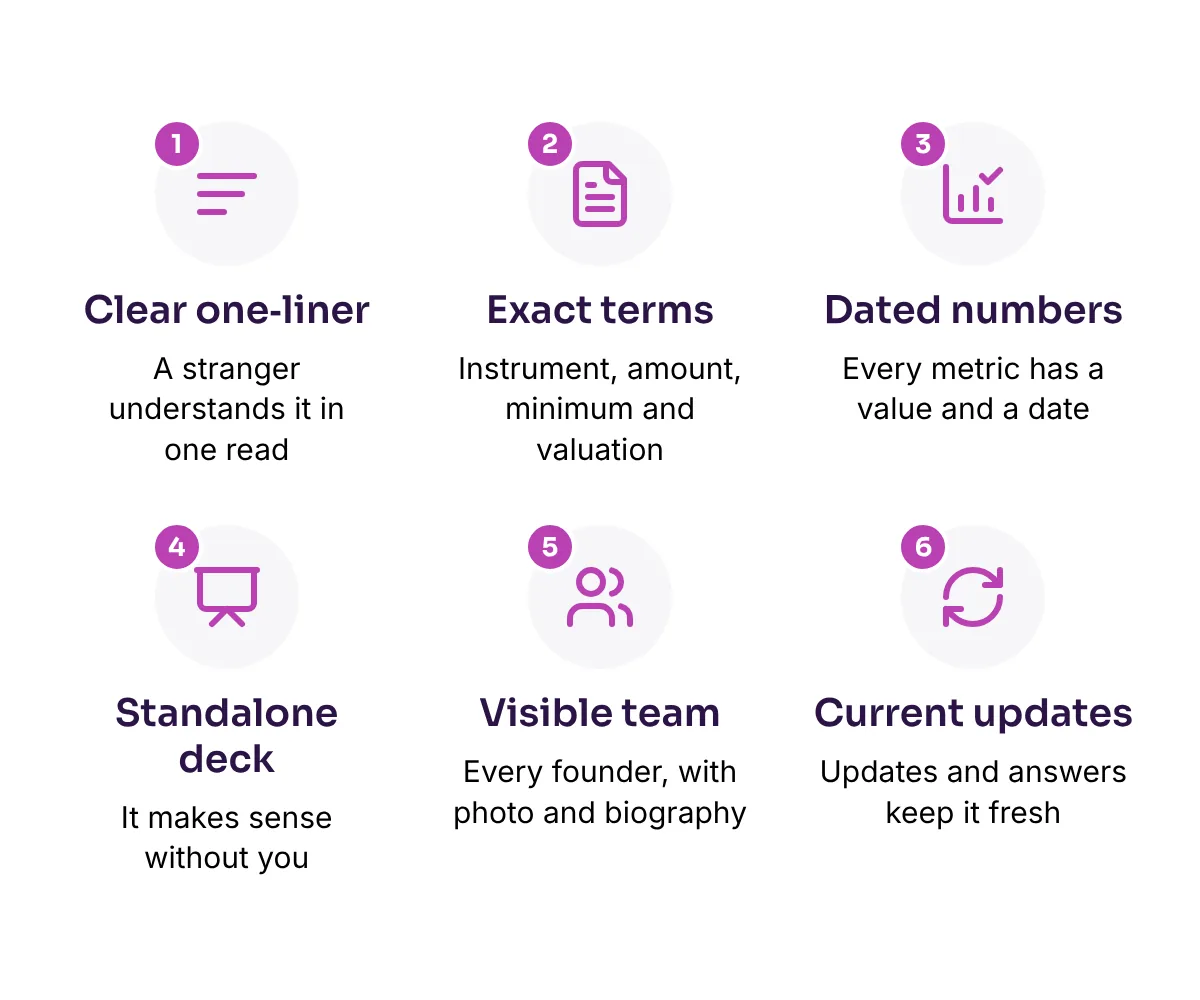
A one-liner that a stranger understands. Name the customer, the problem and the product in 90 characters or fewer. Weak: "An AI platform for the future of work." Strong: "Payroll software for restaurants with fewer than 50 staff."
Exact terms. State the instrument, the amount, the minimum investment and the valuation. Unclear terms stop investors from acting.
Numbers with dates. Each traction metric has a value and an as-of date. Use recent figures. Choose metrics that show demand, such as revenue, active users, signed pilots or a waiting list.
A deck that works without you. An investor reads it alone. Cover the problem, solution, market, traction, team and raise. TheAngel rates your deck, so quality matters.
A visible team. Add every founder with a photo and a short biography. Say what each person did before and why they fit this problem.
A current listing. Post updates. Reply to questions. Prepare your data room before you list, so files are ready when interest arrives.
What a Raise Listing does not do
A listing does not guarantee that you raise money. Investors make their own decisions. TheAngel does not give investment advice. An investor must complete a short declaration before they can see the deal content.
Next step
Read Listing Content Checklist to see everything you need before you start. Then create your listing at theangel.app.