
How a Raise Listing Works
See what happens after you sign up to TheAngel: how you build your listing, how review works, when it goes live and how investors respond.

In short
- There are seven stages, from sign-up to investor response.
- TheAngel rates your deck and checks your listing before it goes live.
- After go-live you post updates, reply to questions and follow investor interest.
This post follows your Raise Listing from sign-up to investor interest. It explains what you do, what TheAngel does and what investors see at each stage.
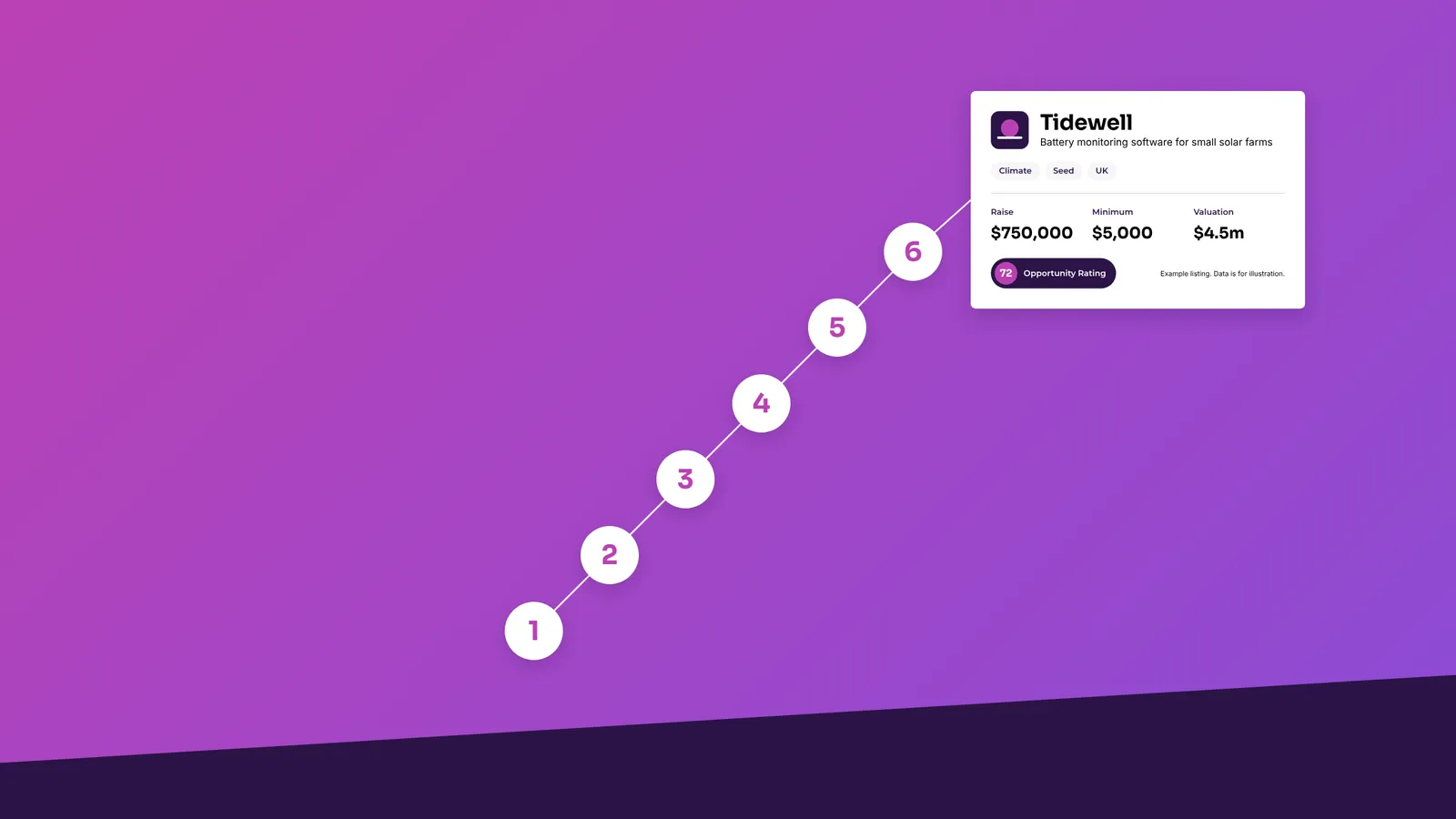
There are seven stages:
- Sign up and choose a plan
- Build your listing
- Submit for review
- TheAngel reviews your listing
- You get a decision
- Your listing goes live
- Investors view and respond
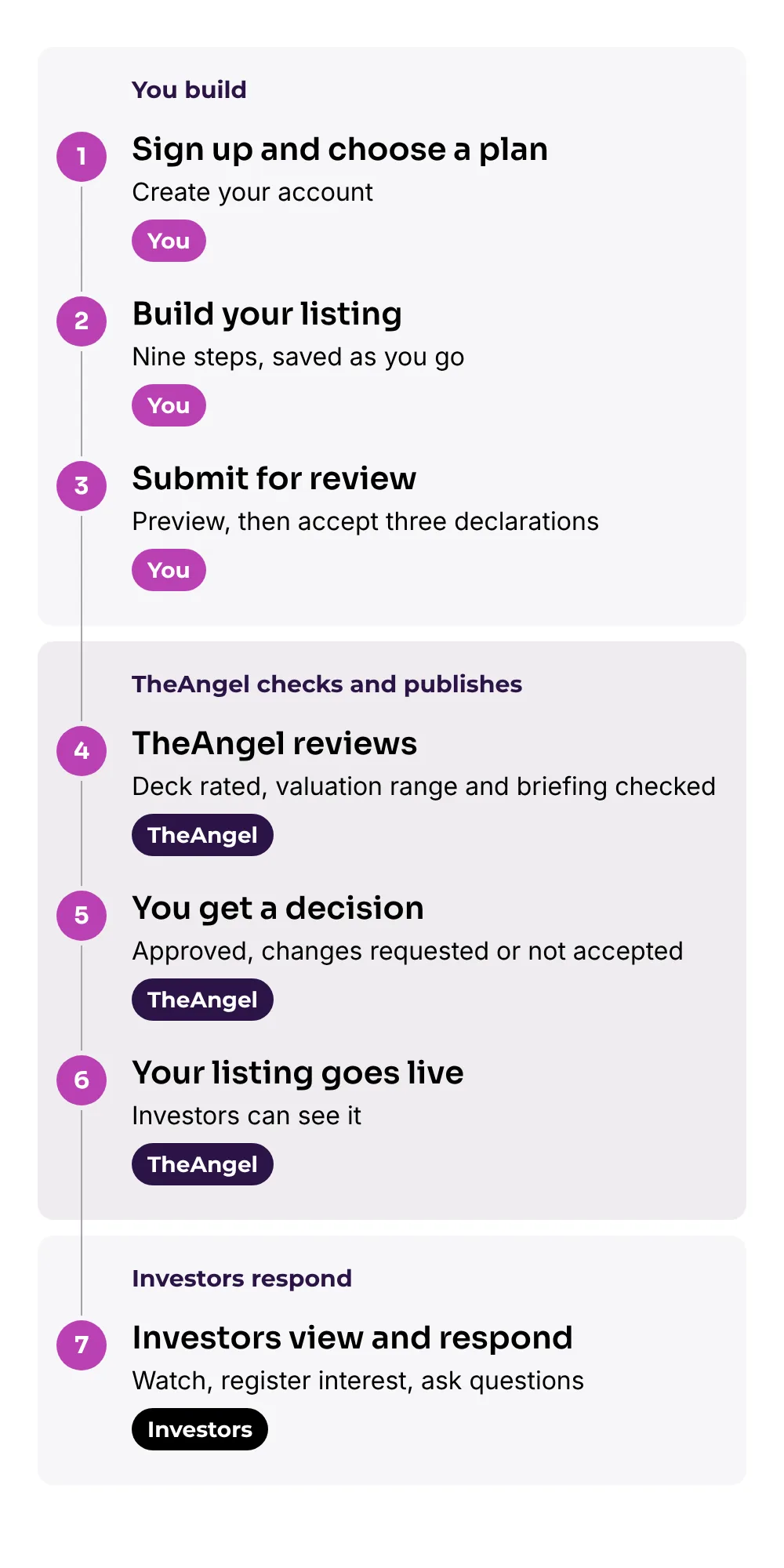
After go-live, you manage your listing from your dashboard. The last sections explain how.
Stage 1: Sign up and choose a plan
Go to theangel.app and choose the founder sign-up. Use your email address or a Google account. You confirm your email address before the system saves anything.
Then enter your name and choose a plan. Each plan gives your listing a different set of features. The pricing section on the Founders page lists them. You can upgrade at any time.
Founders and investors sign up separately. Your account is a founder account.
Stage 2: Build your listing
The listing form has nine steps. A progress bar shows which steps are complete.
- Account and plan: the step that you just did.
- Company: name, one-line description, logo, website, location, registration details, sector, stage and region.
- The raise: instrument, amount, minimum investment and valuation.
- Deck: your pitch deck as a PDF.
- Traction: up to four metrics.
- Story: highlights, the reason for the raise, the problem, how it works, a video and images.
- Team: founders and key people.
- Data room: your model, cap table and other files.
- Review and submit: the final check.
The system saves your work every time you finish a field. You can close the page and come back later. After Step 1, you can do Steps 2 to 8 in any order.
When you upload your deck, TheAngel starts to rate it. The rating takes a few minutes. If you replace your deck, the rating runs again.
If a draft has no activity for 90 days, the system deletes it. You get two reminders first.
Use the post Listing Content Checklist to prepare each item before you start.
Stage 3: Submit for review
Step 9 shows a preview of your listing. The preview uses the same pages that investors see.
The step also shows a list of missing fields. Each item on the list links to the step where you fix it. The Submit button stays off until the list is empty.
Before you submit, you accept three declarations:
- The information in your listing is accurate.
- You understand the risks.
- You have authority to list the company.
The system stores the wording that you accepted and the time. After you submit, your listing has the status Submitted, and the TheAngel team is notified.
Stage 4: TheAngel reviews your listing
You can follow the review on your status page. The page shows each check with a tick when it is complete. It uses plain sentences, for example "Your deck has been rated".
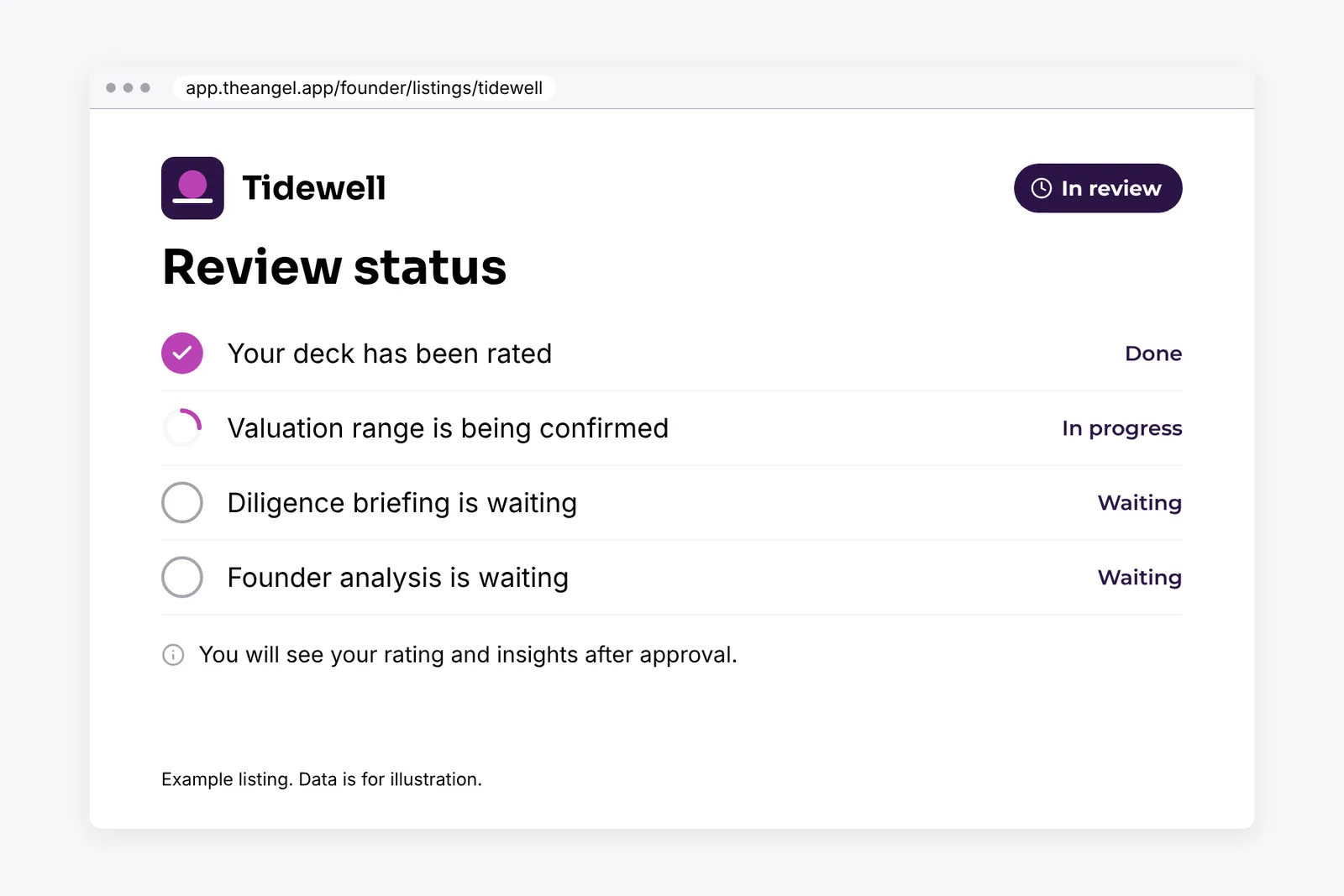
These checks happen:
- Deck rating. The system reads your deck and gives an Opportunity Rating from 0 to 100. It also scores each category, such as problem, market and team.
- Valuation range. TheAngel proposes a low and a high figure. It uses benchmark data for your sector, stage and region, and your deck rating. A TheAngel team member checks and confirms the range. TheAngel does not change the valuation that you set.
- Diligence briefing. The system drafts the strengths, the risks and the questions that an investor may ask. A team member edits the draft and approves it.
- Founder analysis. The system drafts a view of founder-market fit, track record and team gaps. It uses your team biographies and links. A team member edits the draft and approves it.
The review target is three to five working days, depending on your plan. During review, you do not see the rating, range or briefing. You see them after approval.
Stage 5: You get a decision
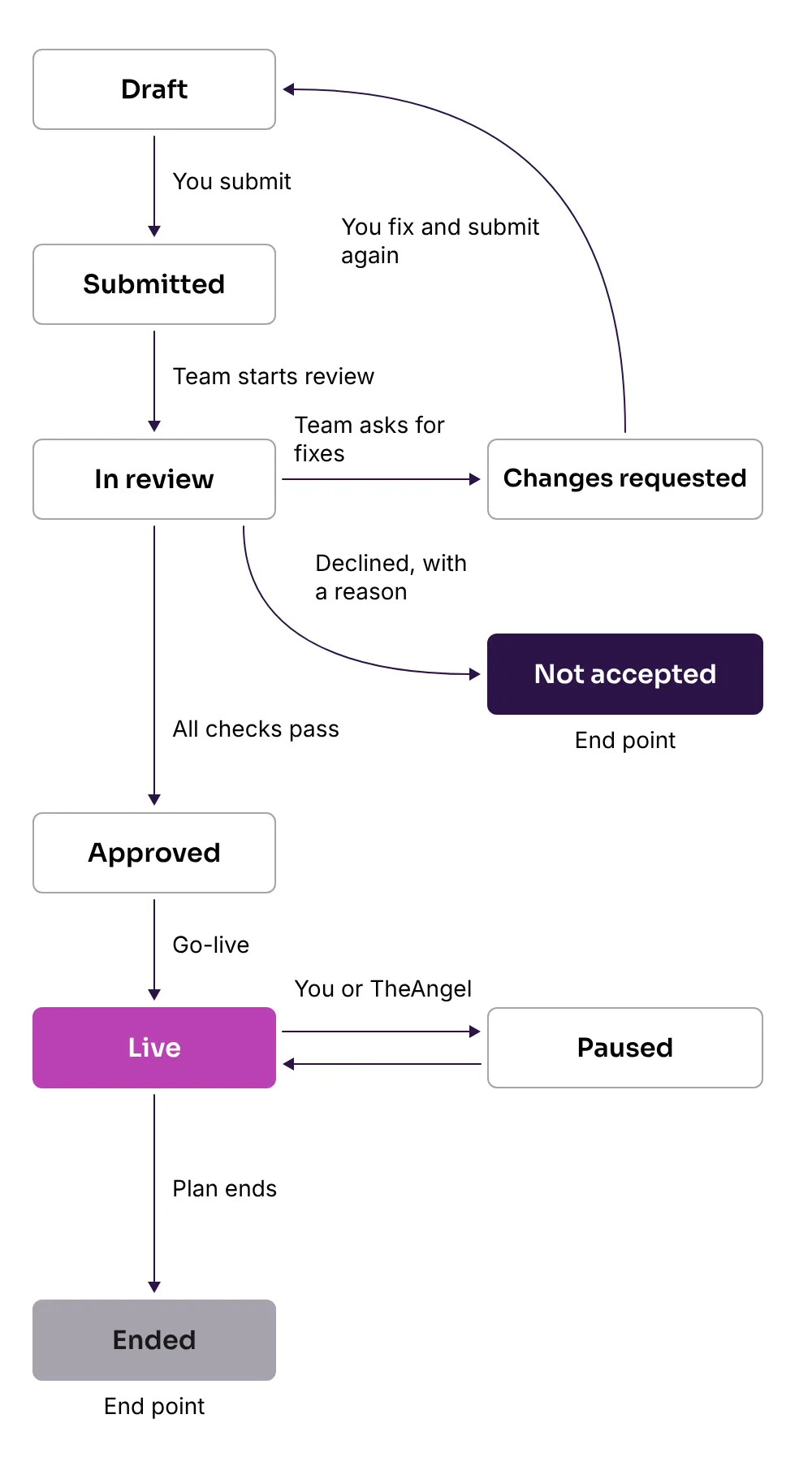
There are three possible outcomes.
- Approved. Your listing passed every check. It waits for go-live, or it goes live.
- Changes requested. The team tells you what to fix. Your listing returns to draft. Make the changes and submit again.
- Not accepted. The team gives you a reason. This decision is final for that listing.
After approval, you see exactly what investors see: your Opportunity Rating, valuation range, diligence briefing and founder analysis.
Stage 6: Your listing goes live
Approved listings go live when listings open. A listing that is approved after that goes live after approval.
When your listing is live:
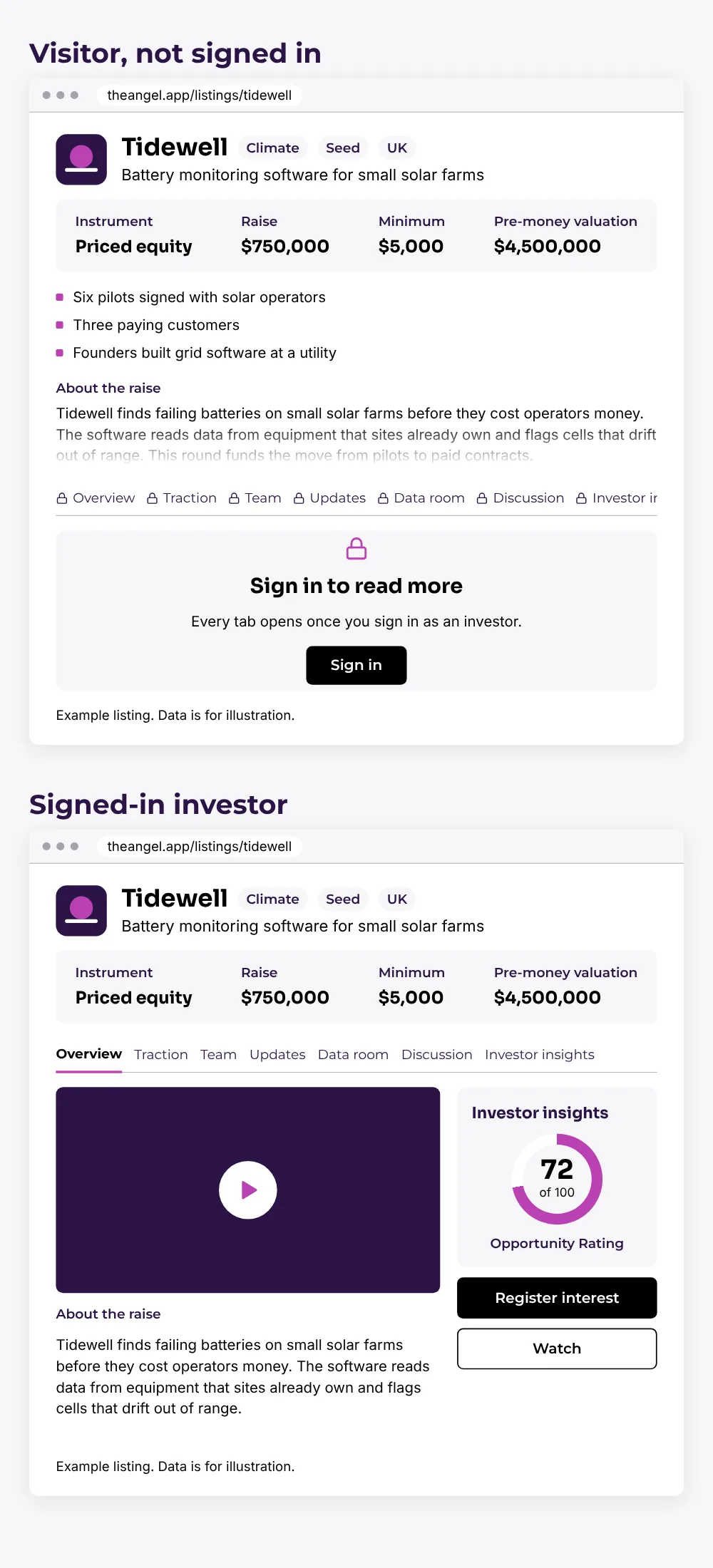
- Your card appears in the list of deals for signed-in investors.
- Your deal page has its own link. You can send it to anyone.
- A visitor who is not signed in sees the card, the deal summary, your highlights and the first paragraph of About the raise. Other tabs ask them to sign in.
- Investors with a matching focus get an alert. This feature is on Featured and Advanced plans.
- Your dashboard opens. It has four sections: Overview, Investors, Data room and Updates.
- Your listing stays live while your plan is active.
At launch, search engines do not list individual listing pages. Investors find you inside TheAngel, in an email digest, or through the link that you send.
Stage 7: Investors view and respond
How investors get access. An investor signs up and completes a short declaration about their investor status. The declaration happens once. Then the investor can see all deal content.
How investors find you. They browse the deals list, use filters for sector, stage, instrument and region, or open your link. They can also get an email digest of new listings.
What investors read. They read the deal summary and every tab on your deal page. In Investor insights, they see your Opportunity Rating, valuation range, diligence briefing and founder analysis.
What investors can do:
- Watch your listing to save it.
- Register interest. This tells you that the investor wants to talk. It also gives that investor access to your data room files.
- Like your updates.
- Ask questions in the Discussion tab.
An investor cannot see how much money other investors have committed. The platform does not show raise progress.
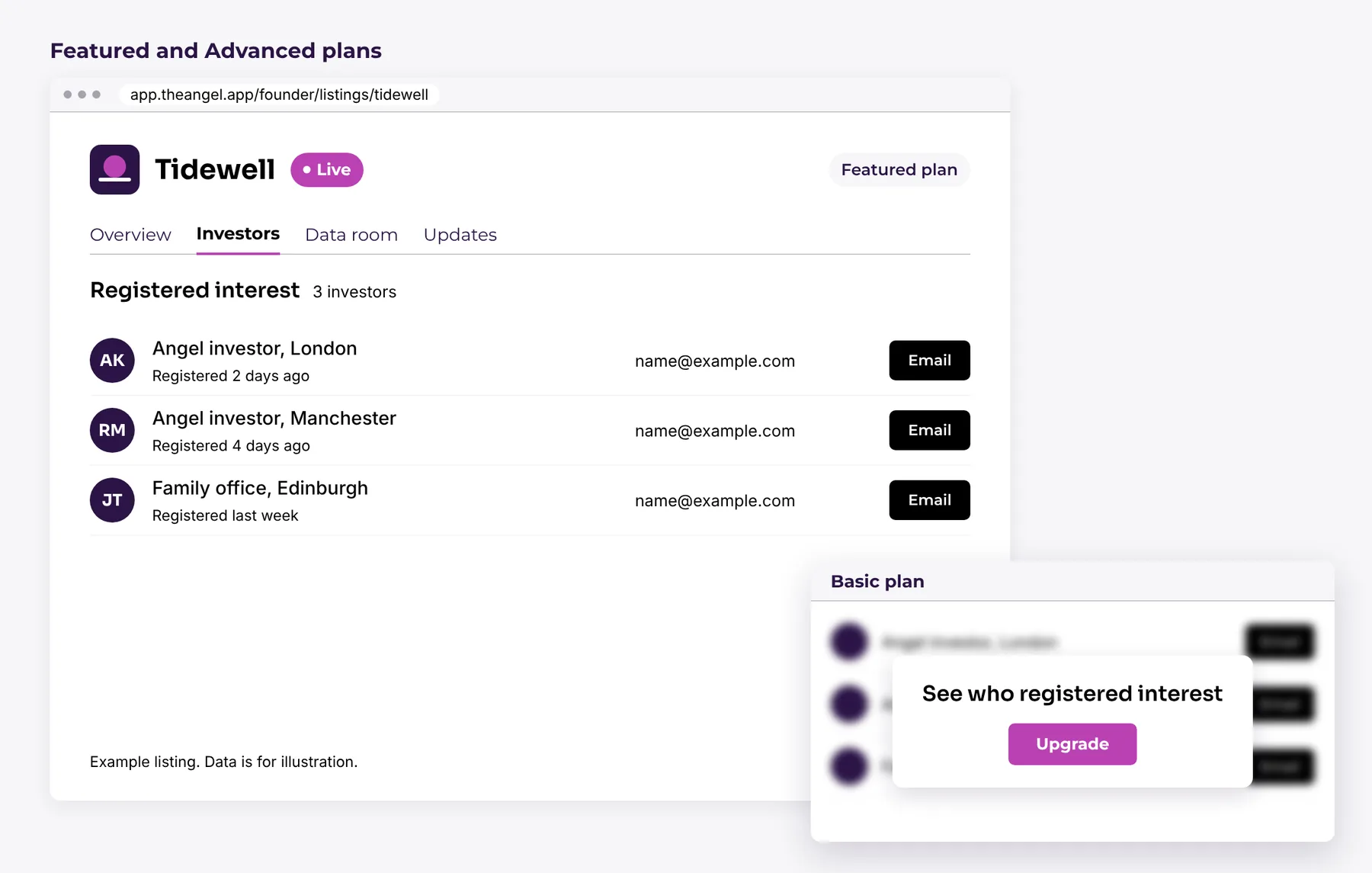
What you see. On Featured and Advanced plans, your dashboard shows the investors who registered interest, with their names and contact details. You can contact them from there. On the Basic plan, the investor list is hidden behind an upgrade panel.
After go-live: manage your listing
Post updates. Add a dated update when something changes. You can post an update, a video, a press item or a pinned note. Investors see updates in the Updates tab.
Reply to questions. Investors ask questions in the Discussion tab. You reply from your dashboard. Everyone who views the listing sees your reply.
Edit your listing. The type of change decides what happens.
| What you change | What happens |
|---|---|
| One-line description, highlights, About the raise, problem, how it works, images, video, website, location, team | Goes live at once |
| New updates, replies to questions, new data room files | Goes live at once |
| Amount, minimum investment, valuation, instrument, stage, sector | Goes back to review. The old version stays live. |
| Any traction value, date or label | Goes back to review. The old version stays live. |
| Pitch deck | The deck is rated again, and the change goes back to review |
| Company name, registration number, incorporation date | A team member checks the company register before the change goes live |
You see a banner that shows which change is waiting. You can withdraw a change before the team acts on it.
Pause and resume. You can pause your listing at any time. A paused listing is hidden from investors. Your plan period keeps running. Resume it when you are ready.
Change your plan. You can upgrade at any time. The new features start at once.
Cancel. You can cancel at any time. Your listing stays live until the end of the period that you paid for. TheAngel does not refund part of a period. If a payment fails, your listing pauses after 7 days.
When a listing ends. If your plan ends, your listing leaves the deals list. Your data stays in your account.
Listing statuses at a glance
| Status | What it means |
|---|---|
| Draft | You are building the listing. Only you can see it. |
| Submitted | You submitted it. It waits for review. |
| In review | The TheAngel team is checking it. |
| Changes requested | The team asks you to fix items and submit again. |
| Approved | It passed every check. It waits for go-live. |
| Live | Investors can see it. |
| Paused | You or TheAngel hid it. Investors cannot see it. |
| Ended | Your plan ended. It left the deals list. |
| Not accepted | The team declined it. The decision is final. |
Next step
Start with the Listing Content Checklist, then create your listing at theangel.app. A Raise Listing does not guarantee that you raise money. Investors make their own decisions, and TheAngel does not give investment advice.