
Founder resources · Listing cover
Design a cover that survives every crop.
Your cover is 16:9, but the marketplace shows a wide strip of it. Put your one subject in the centre box of this template and it reads on every card and every deal page.
Read the cover guideDownload the template
2400 × 1350. Every zone is a named layer you can lock.
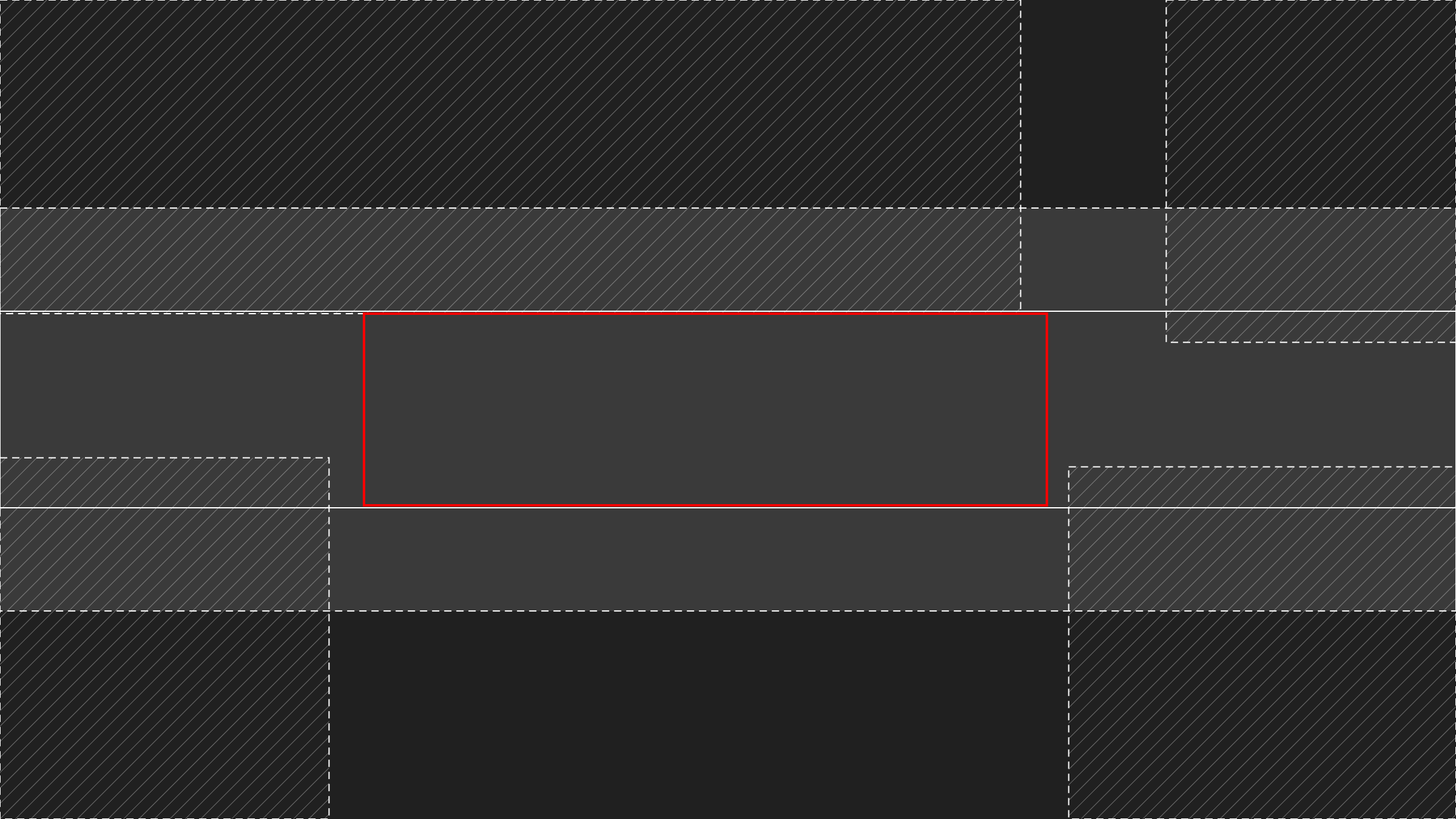
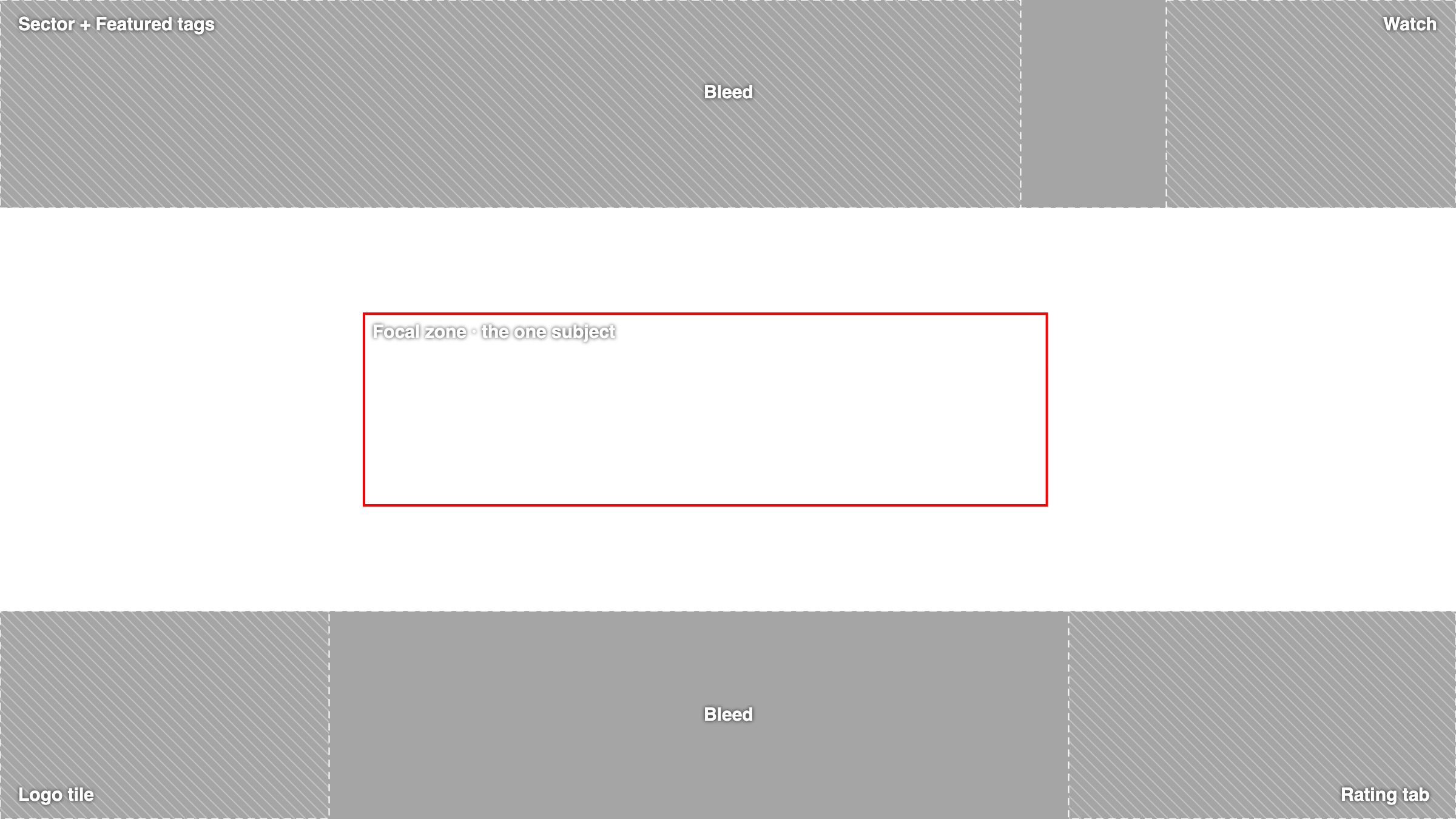
SVG opens in Figma, Illustrator and Affinity. Use the PNG as a locked top layer in Photoshop or Canva.
01 · The zones
One box is seen everywhere
The red focal zone is the only area shown on every card and every deal header, clear of the tags, Watch button, logo tile and rating. The guides are percentages, so they fit any 16:9 size.

| Zone | Any 16:9 size | On 2400 × 1350 | Use it for |
|---|---|---|---|
| Focal zone | x 25–71.9%, y 38.3–61.7% | x 600–1725, y 518–833 | The one subject |
| Focal band | Full width, y 38–62% | y 513–837 | The subject's wide continuation; nothing that must be read |
| Card band | Full width, y 25.4–74.6% | y 344–1007 | Supporting shapes and colour |
| Bleed | y 0–25.4% and 74.6–100% | y 0–344, 1007–1350 | Background or texture that can be cut anywhere |
| Corner, top left | x 0–70.1%, y 0–38.3% | x 0–1682, y 0–518 | Plain, mid to dark tone (sector and Featured tags) |
| Corner, top right | x 80.1–100%, y 0–41.8% | x 1923–2400, y 0–564 | Nothing important (Watch button) |
| Corner, bottom left | x 0–22.6%, y 55.9–100% | x 0–542, y 755–1350 | Plain, mid to dark tone (logo tile or initials) |
| Corner, bottom right | x 73.4–100%, y 57–100% | x 1763–2400, y 770–1350 | Nothing important (Rating tab) |
02 · Check your cover
See all six crops before you upload
Every surface crops from the centre and cuts the top and bottom first. Cards show at true size with everything the marketplace places on top.
Marketplace card
Ledgerline
Invoice reconciliation for finance teams
Desktop, 3 columns410 × 168 px · 2.4 : 1
Ledgerline
Invoice reconciliation for finance teams
Tablet, 2 columns, narrowest292 × 168 px · 1.7 : 1
Ledgerline
Invoice reconciliation for finance teams
Phone, widest607 × 168 px · 3.6 : 1
Deal page header
The 1440 and 1920 strips are scaled to fit this page. The crop is exact.
Phone, 375375 × 180 px · 2.1 : 1
1440 screen1440 × 260 px · 5.5 : 1
1920 screen1920 × 260 px · 7.4 : 1
03 · Examples
Three kinds of company, one rule set
Fictional companies. Each uses its own brand colours, one wide subject in the focal zone and plain corners.
Software · screenshot led
Ledgerline
- One row of the invoice list, enlarged to fill the focal zone.
- Text replaced by bars, because words do not survive a crop.
- Rows below fade into the card band; corners stay flat teal.
- #0E3B3C
- #D6F36B
- #F4F7F2

Physical product
Tidewell
- The bottle lies on its side, so it stays whole at 7 : 1.
- The floor line runs full width through the focal band.
- Flat terracotta corners, dark enough for white tags.
- #A24E2C
- #7E3A20
- #EFE6D5

Nothing to photograph · abstract mark
Fernmoor Advisory
- A setting-sun mark in the brand green and ochre.
- The horizon line carries the mark across any width.
- Nothing to photograph and nothing that can be cut in half.
- #1E3A2C
- #D8A23A
- #E6D8B4
04 · The rules
Your cover sets the mood. It carries no information.
On a card your cover shows at about a fifth of its size. Your name, one-liner and figures already print beside it.
Do
- Use your own brand colours for the background.
- Put one subject inside the focal zone of the template.
- Pick a wide subject: a product on its side, a landscape, a pattern, or one part of your product shown large.
- Keep the four corners plain and mid to dark, so white tags and initials read on top.
- Export at 2400 × 1350, JPEG or WebP, sRGB, under 5 MB, with no transparency.
- Check all six crops on this page before you upload.
Do not
- Add words: no company name, tagline, figures or calls to action.
- Add your logo. It shows on its own tile.
- Add charts with values, claims, awards or press marks. Claims go through review as text.
- Use a tall subject: a standing person, an upright phone, a tower.
- Use aubergine, purple or orchid as the main colour. It looks like an empty listing.
- Add frames, borders, rounded corners or shadows. We add our own.
- Shrink a whole screen into the centre. Crop to one part and show it large.
Ready to start?
The upload accepts PNG, JPEG or WebP up to 5 MB, at 16:9 within 2%.